OD Link Intercom connects production crews through shared voice channels and private conversations. Participants use phones, tablets or computers. Choose a Server App on your Mac or a hosted Cloud room; both support crew connections over the internet.
Start with roles, not a full channel list
For a small live stream or multicamera event, begin with the people who need to hear each other. This is an example layout, not a preset or a required configuration.
| Channel | Example participants | Purpose |
|---|---|---|
| Production | Director, cameras, audio, stage | Calls everyone needs to hear |
| Cameras | Director and camera operators | Framing and camera coordination |
| Audio | Audio team and director | Sound checks and audio issues |
| Stage | Stage manager and director | Entrances, cues and readiness |
Map these channels into a group. Each group has 10 client-panel positions, so operators can work from a concise layout even when the server has more channels. Set each user’s permitted groups and separate talk/listen permissions.
Use channel and private communication deliberately
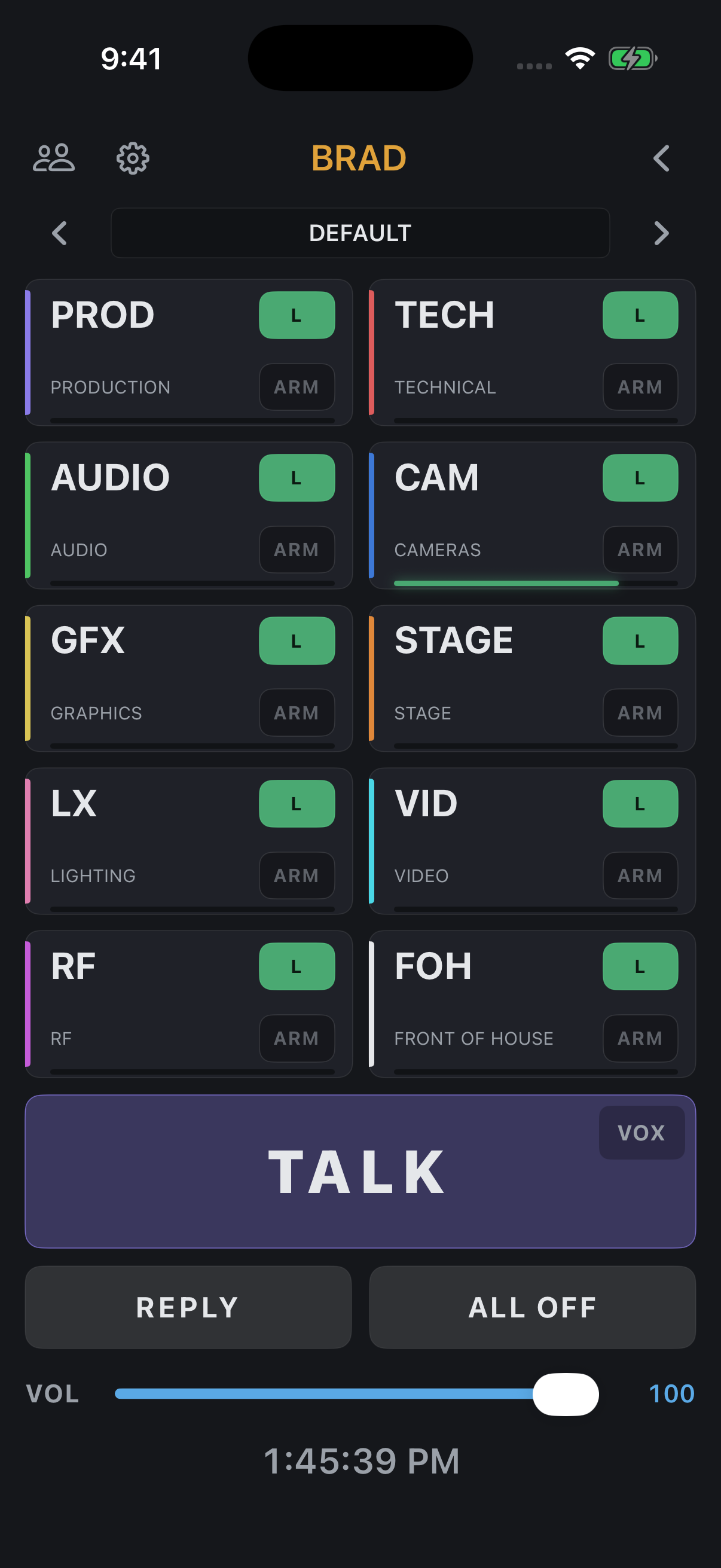
Enable L on the channels an operator needs to hear. ARM selects destinations for the main TALK button. Hold TALK to speak and release to finish. Check latches and VOX before handing the device to someone else.
For a conversation with one person, use private TALK from Users. REPLY answers the last private caller. A private conversation is useful when the rest of the production does not need the exchange.
Keep program audio separate from crew talk
Use an Audio Feed when an operator needs to monitor the program while hearing the crew. Set feed access for each user and balance program level against intercom. Program ducking reduces the feed when talk needs priority.
On the Server App, feeds can come from the selected server audio device. Cloud feeds use client audio sources. Channel IFB and the client’s selected Program Feed are configured separately; the Core Audio and IFB guide explains the server-side paths.
Check the working setup before the show
- Connect the director and one operator using their own accounts.
- Confirm both directions of speech on each required channel.
- Check who can listen and who can talk; a visible channel is not proof of talk permission.
- Verify program monitoring, ducking and private TALK / REPLY.
- Repeat with the actual headsets and network each person will use.
- Agree which channel carries general calls and which channels are for specialist conversation.
See remote connection preparation for crews working across locations, or pricing to choose server licensing or Cloud capacity.
↑ Back to top