Studios & remote sessions
Send a DAW mix or stems to another Mac and bring a separate return back into the session.
Set up a DAW send & return ↗Send and receive up to 128 channels of low-latency audio between your Macs, across the open internet or on a local network. Works with any Core Audio device, including Dante Virtual Soundcard, or our own virtual audio driver to route a DAW or app mixer.
OD Link connects your Macs directly over IP. Every connection runs both ways, and one Mac can hold many connections at once. Route audio between rooms, machines, and sessions however you need. On each Mac, pick a capture and a playback device, patch your channels, and it flows straight between them over UDP. No extra hardware, no cloud to trust, no monthly bill. Built for studios, live sound, broadcast, remote sessions, and churches.
Send a DAW mix or stems to another Mac and bring a separate return back into the session.
Set up a DAW send & return ↗Link a venue Mac to a studio or control-room Mac, with independent routes for program audio and the return.
Connect two locations ↗Send audio from a Mac at the sound desk to a Mac in the livestream or recording room, using a local network or an internet connection.
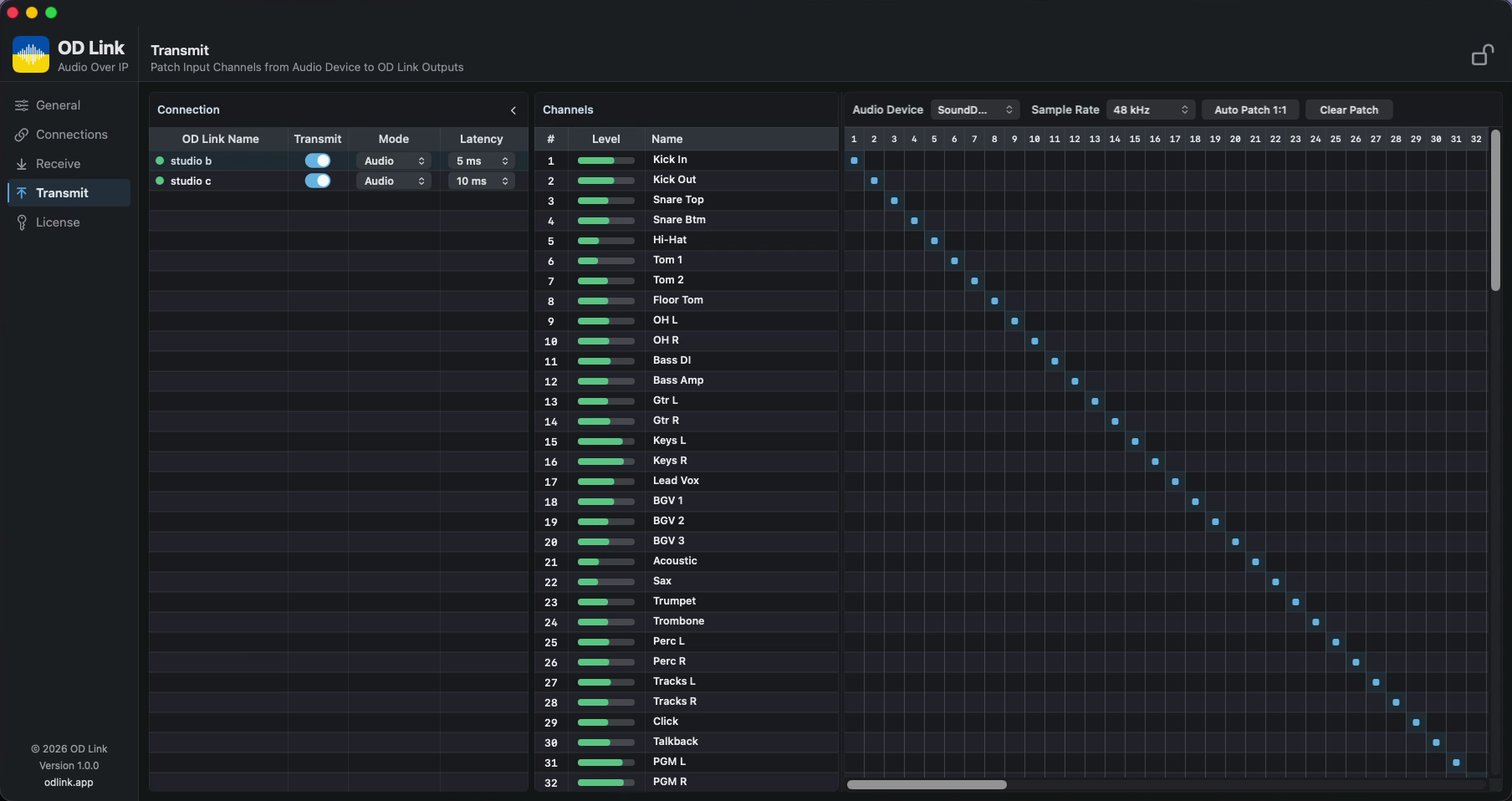
Plan the audio connection ↗Pick your audio device, then map inputs to the link. Auto-patch 1:1 or set crosspoints by hand. Live input meters, with per-connection latency and mode, all in one view.
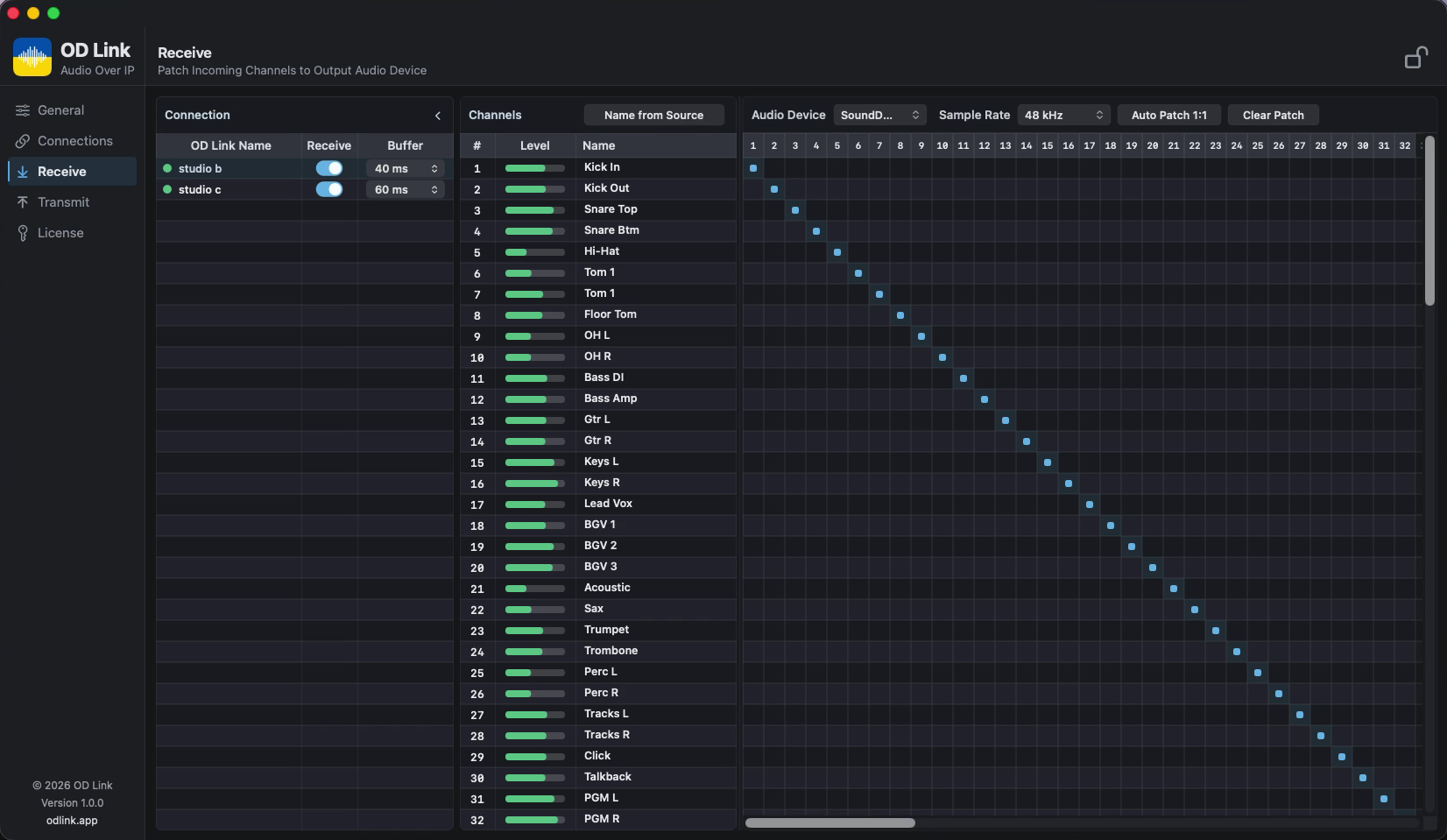
Patch incoming channels to your playback device. Set the buffer for each connection and watch your levels as the audio arrives.
Explore routing controlsUp to 128 channels of pristine audio, your way.
Your audio travels straight across every connection.
Fits the gear you already run.
Download OD Link and open it on each Mac. On first launch, allow Microphone (to capture audio) and Local Network access when macOS asks.
On each Mac, add a connection to the other and enter its IP or, with a Pro or Performance license, turn on UDP Match to connect by name, with no IP to exchange.
Pick your capture and playback devices, patch the channels (auto or by hand), and the audio flows straight between your Macs.
Pulling audio from a DAW or app mixer? Add the free OD Link Virtual Audio driver, then follow the DAW routing guide.
Every paid license is perpetual. Pay once, own it. Prices in USD.
The full app
32 channels
Perpetual license
32 channels
Perpetual license
64 channels · UDP Match
Perpetual license
128 channels · UDP Match
Secure checkout via Creem, our Merchant of Record. Your license key arrives by email from [email protected].
Audio is pure peer-to-peer UDP. It never touches any servers, keeping latency low and your sound between your machines.
A perpetual license, not a subscription. No monthly fee, no cloud login.
Error correction, retransmission, and an adaptive receive buffer absorb the hiccups any real network throws, so a lost packet doesn't become a dropout.
Works with any Core Audio device, including your interface, an aggregate, Dante Virtual Soundcard, or the OD Link Virtual Audio driver to route a DAW. Up to 128 channels.
Run the full OD Link with 32 channels, free, with no signup. From time to time it briefly mutes the audio with a watermark, just enough to hear the real thing before you buy your license.
Download the DemoDownload the free Demo, and once tested, buy the license that fits your rig.